Changelog
This page contains all recent updates, improvements, and fixes in RodX.
We focus on incremental, transparent development.
🚀 What's Next
🔔 Latest Updates
18.08.2026
PDF report generation
11.08.2026
P-Delta analysis added
11.08.2026
Tension-only element added
📋 Full Changelog
breaking
18.08.2026
PDF report generation
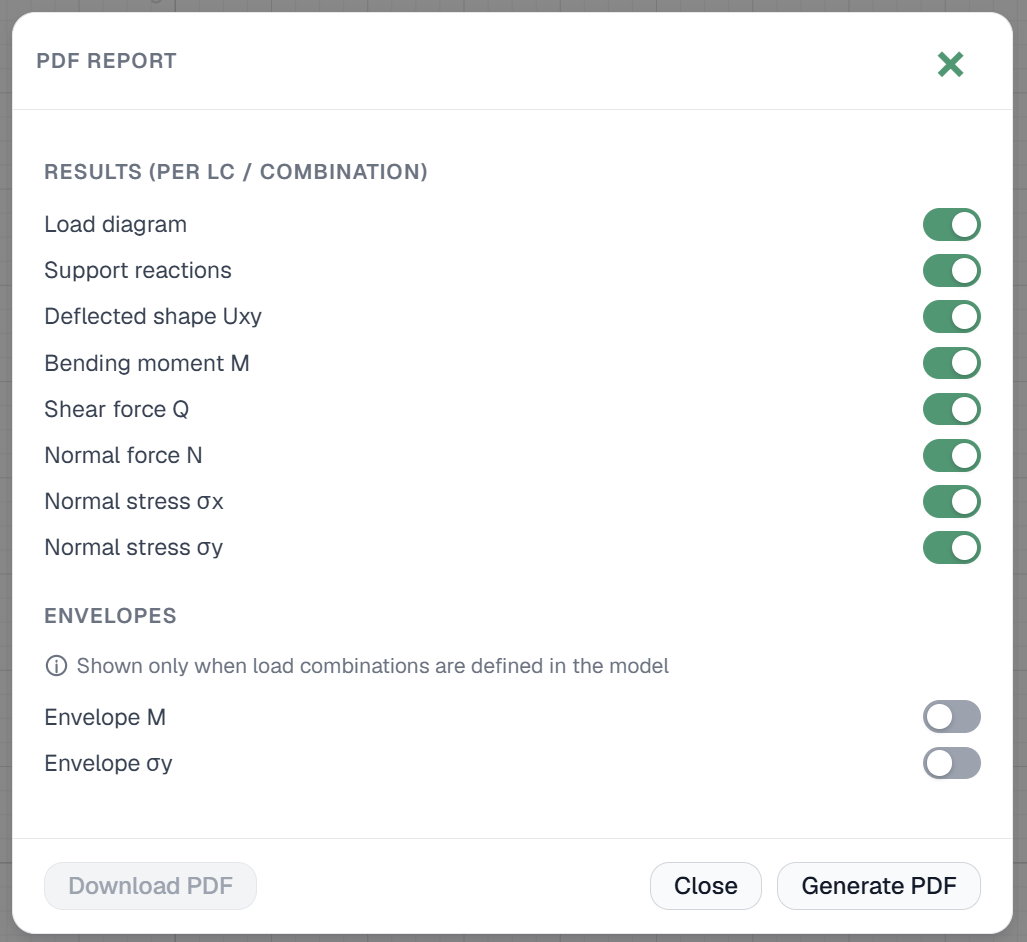
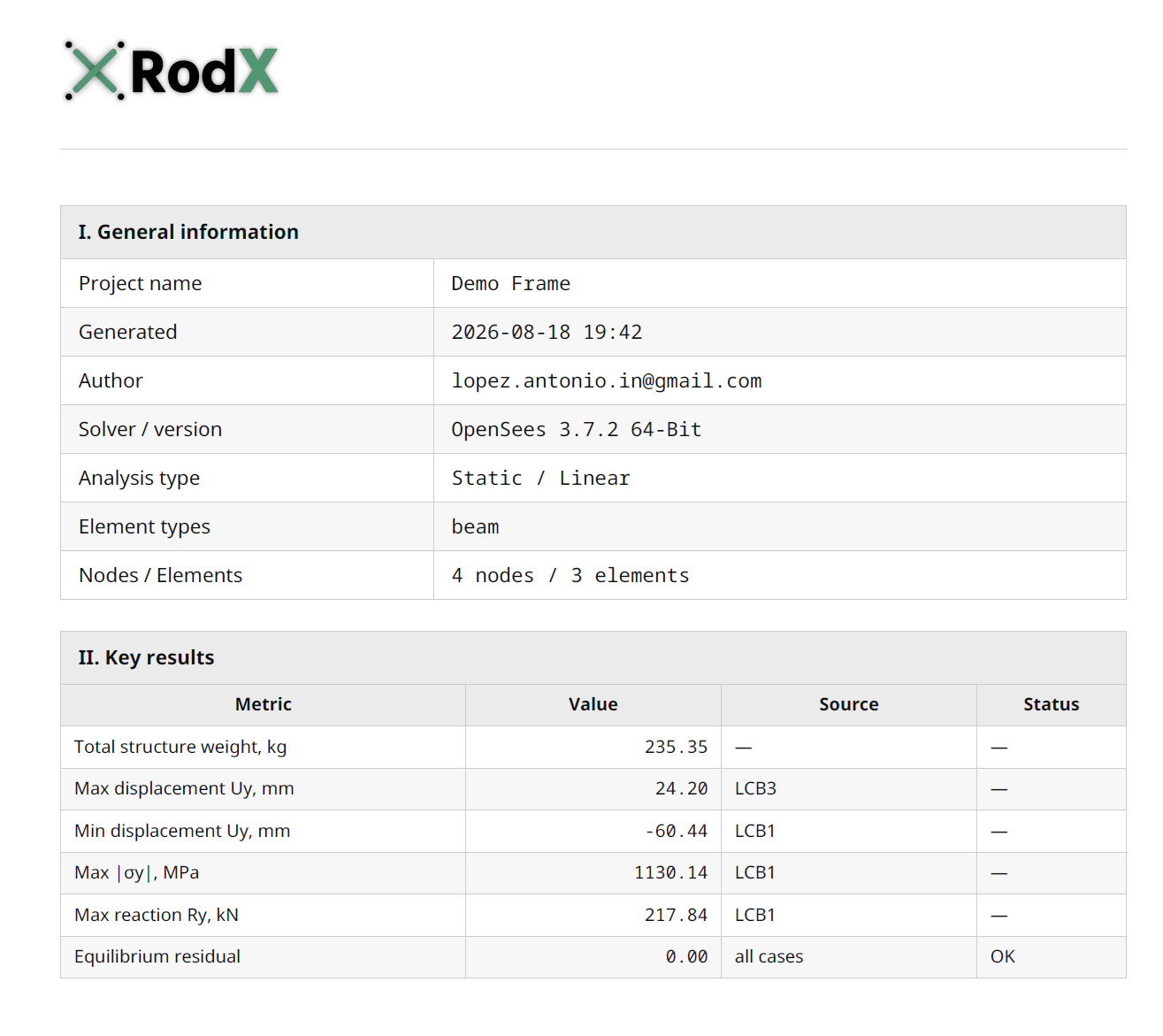
RodX now supports generating a fully customizable PDF report. The report is saved to the project and downloaded automatically right after generation. Along with tabular data, the report automatically includes the relevant images. One thing to note: before generating the report, set the structure's view/zoom in the workspace the way you want it to appear in the screenshots — the generator will then include the corresponding diagrams, displacements, and other results in the report using that view.
breaking
11.08.2026
P-Delta analysis added
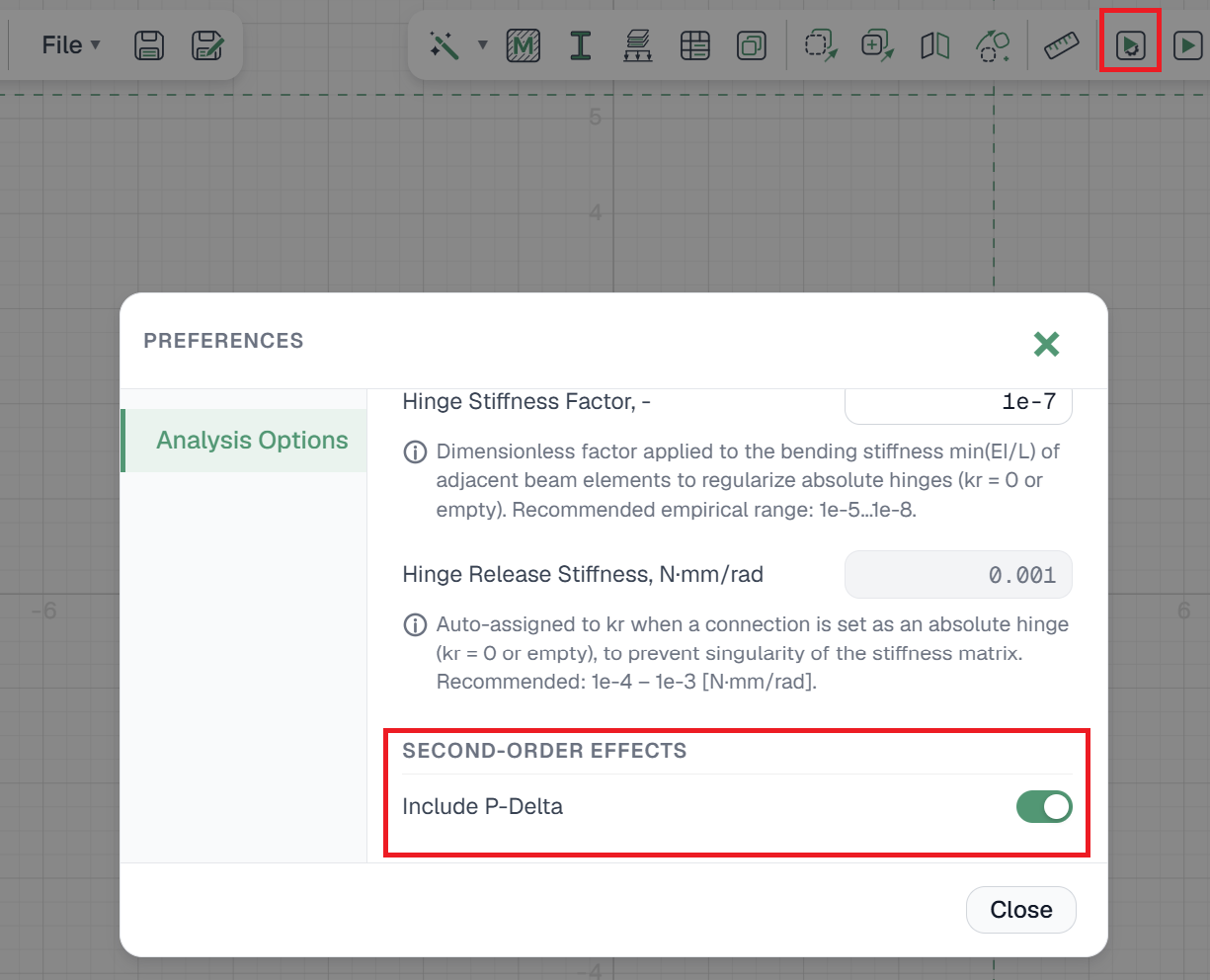
Structures subject to second-order moments can now be analyzed in P-Delta mode. To use this mode, enable it in Analysis Preferences / Analysis Options, under Second-order effects. A validation case for this has been added to the verification page, where you can open it and try it yourself.
breaking
11.08.2026
Tension-only element added
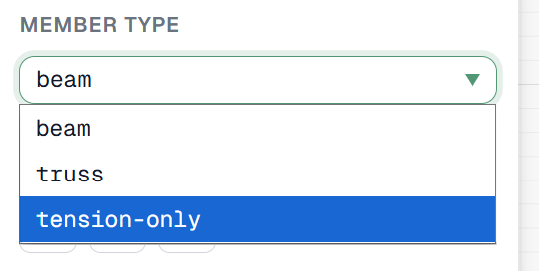
RodX now supports elements that resist only tension, letting you model members that go slack — and are removed from the active structure — when subjected to compression. A validation case for this has been added to the verification page, where you can open it and try it yourself.
feature
05.08.2026
Truss generator wizard
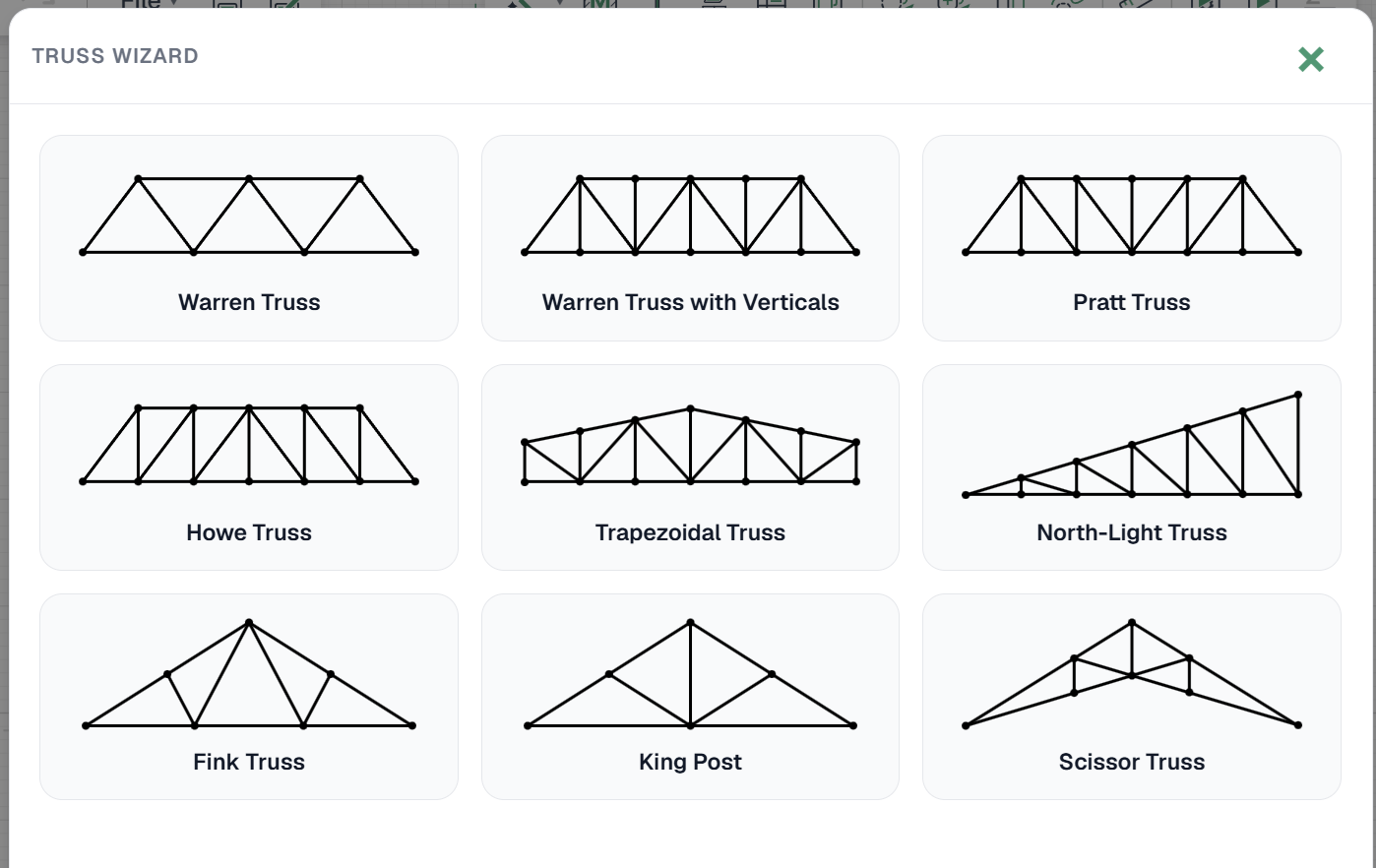
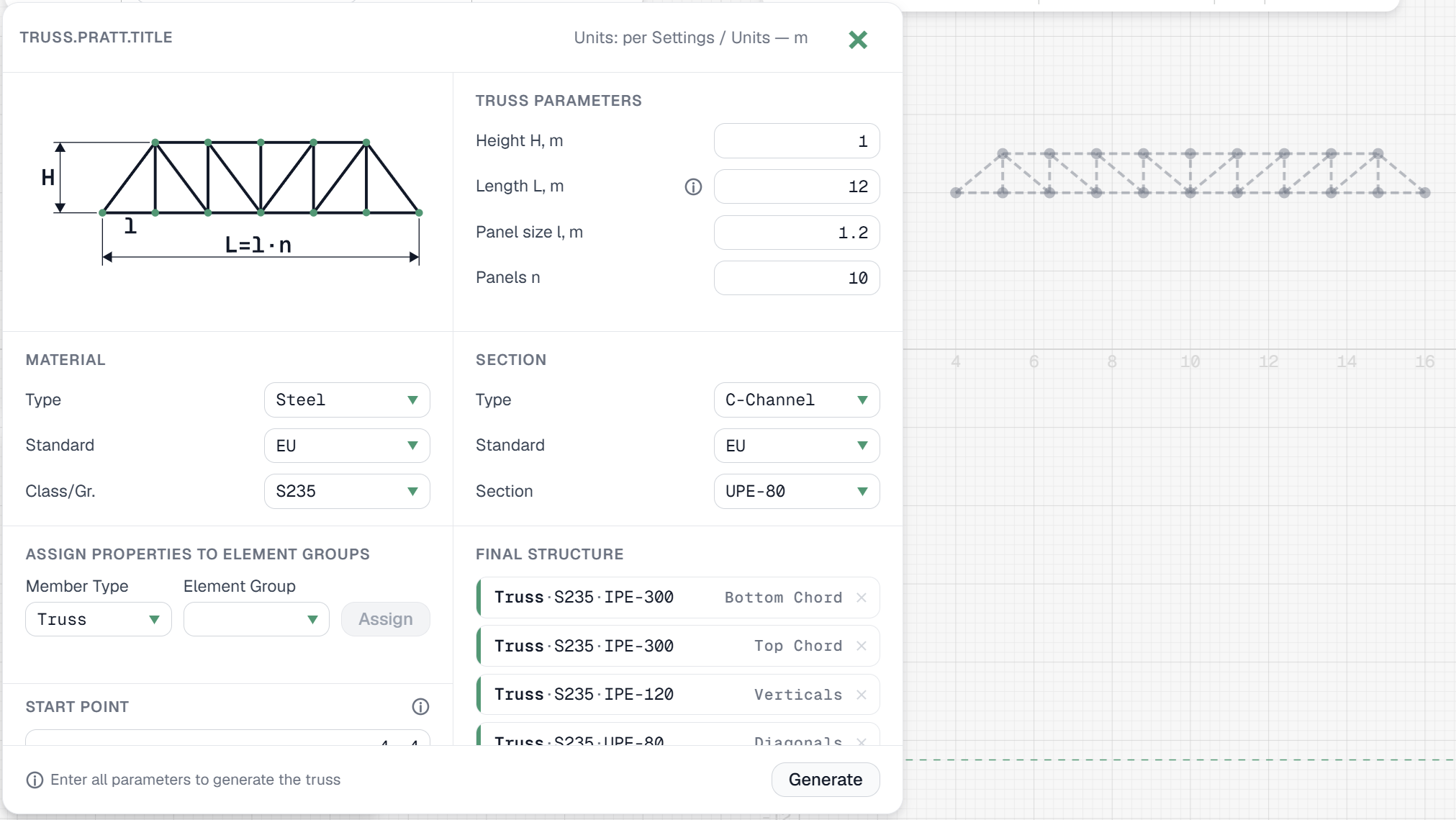
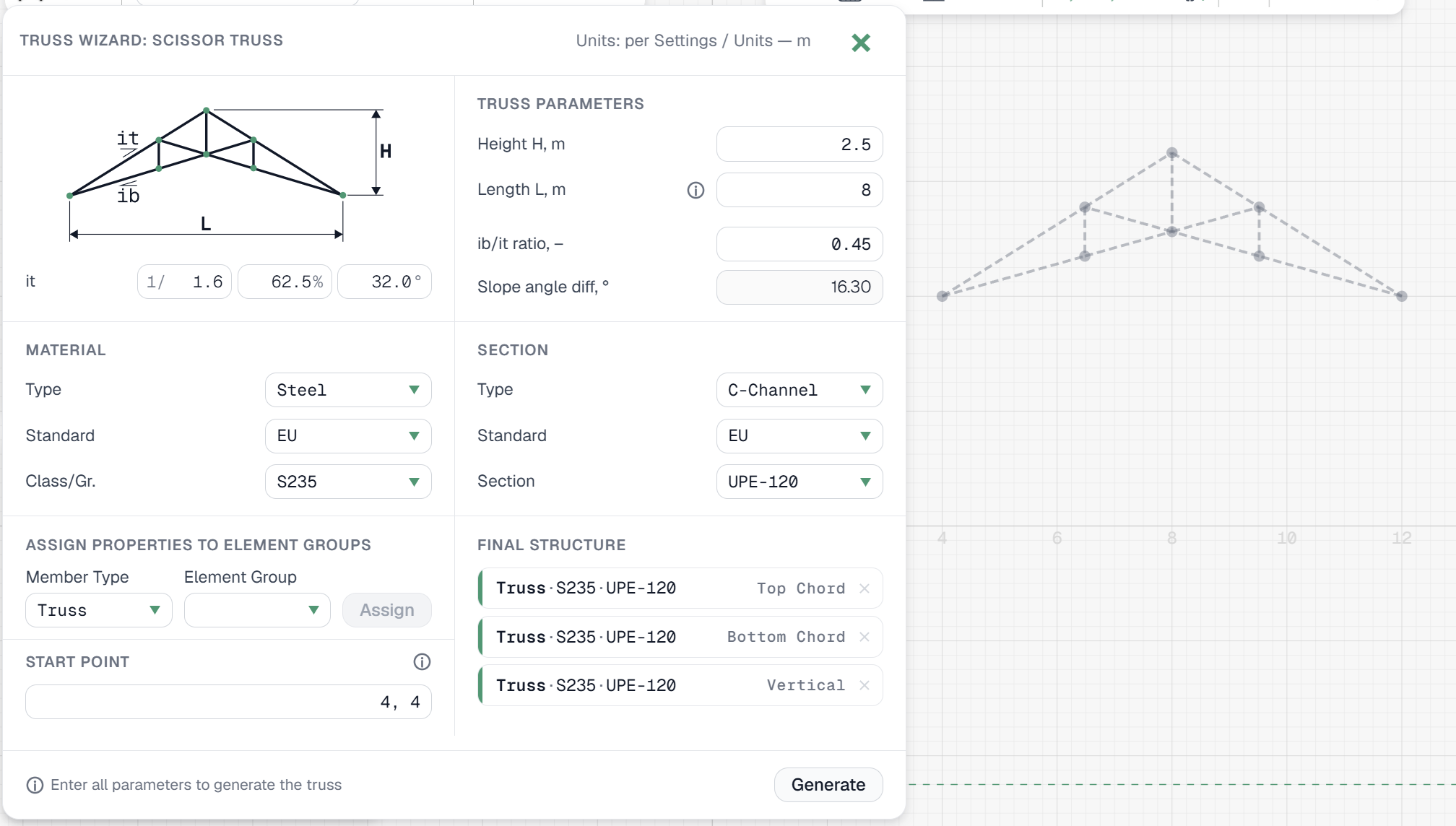
The truss generator wizard is now complete. We've included the truss types most commonly used across different areas of construction. The wizard features a live preview so you can review the structure before generating it, and elements are automatically organized into groups — top chord, bottom chord, diagonals, and verticals — each of which can be assigned its own cross-section.
improvement
26.07.2026
Improved display of force, stress, and deflection diagrams
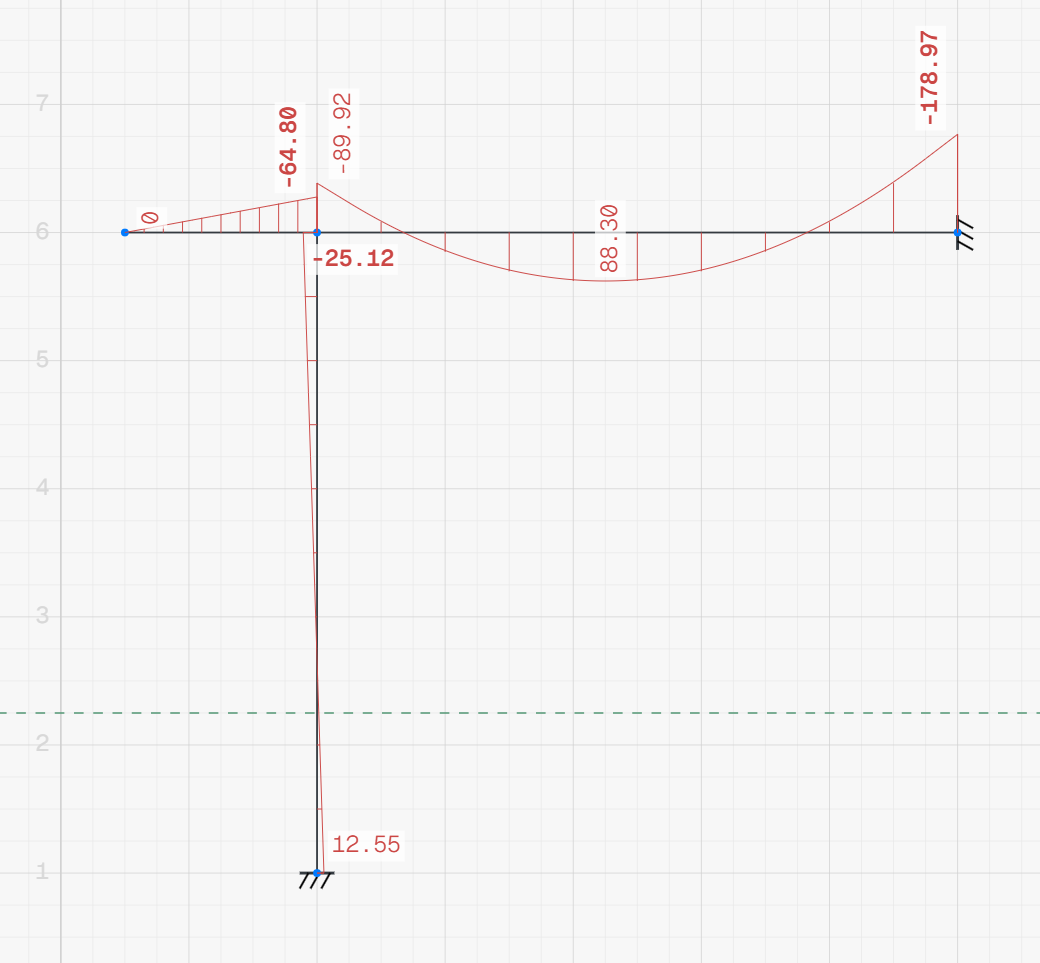
The display of force diagrams, stress diagrams, and the deflected shape has been improved, making results significantly easier to analyze.
feature
26.07.2026
Value display options and scale slider for diagrams
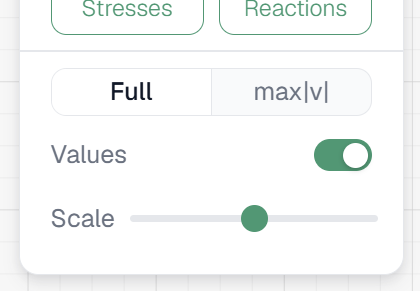
For force diagrams, stress diagrams, and the deflected shape, you can now choose to show all values or only max|v|. Value labels can be turned off entirely, and a new slider allows adjusting the display scale.
breaking
26.07.2026
Envelope diagrams for forces and stresses
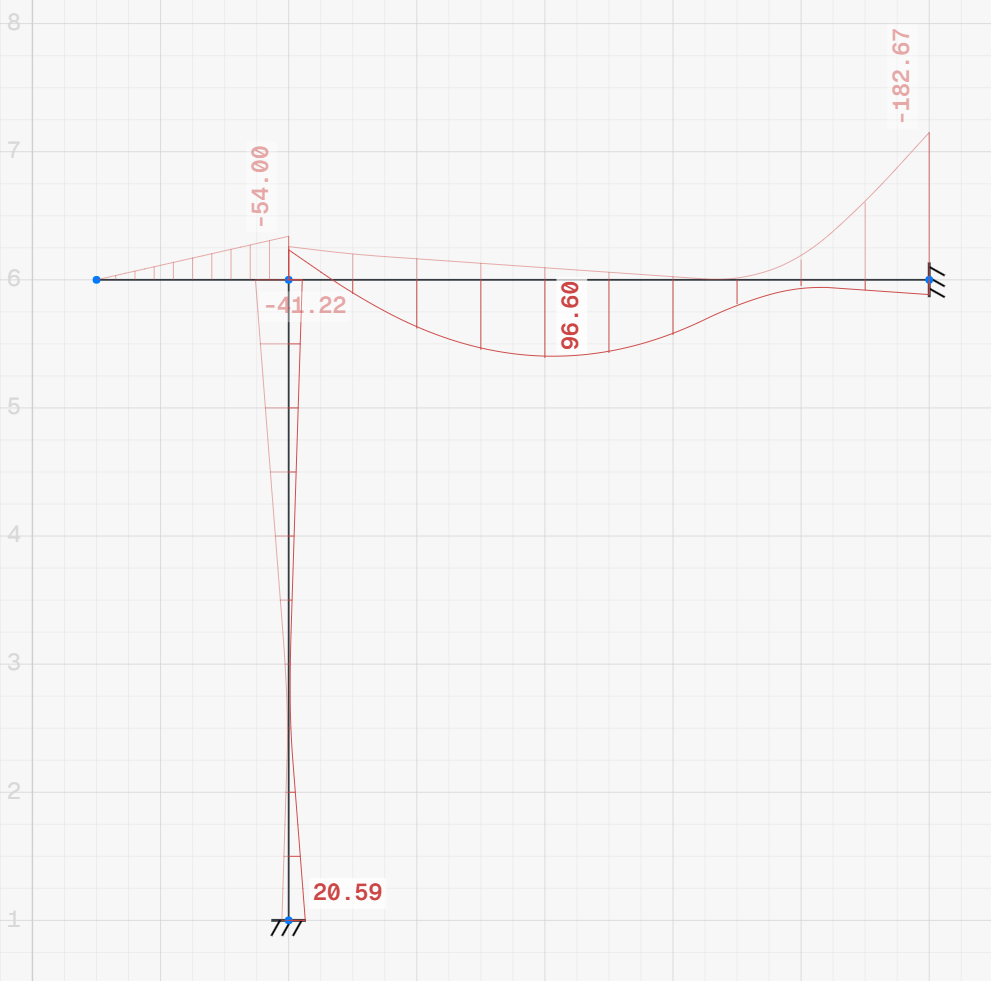
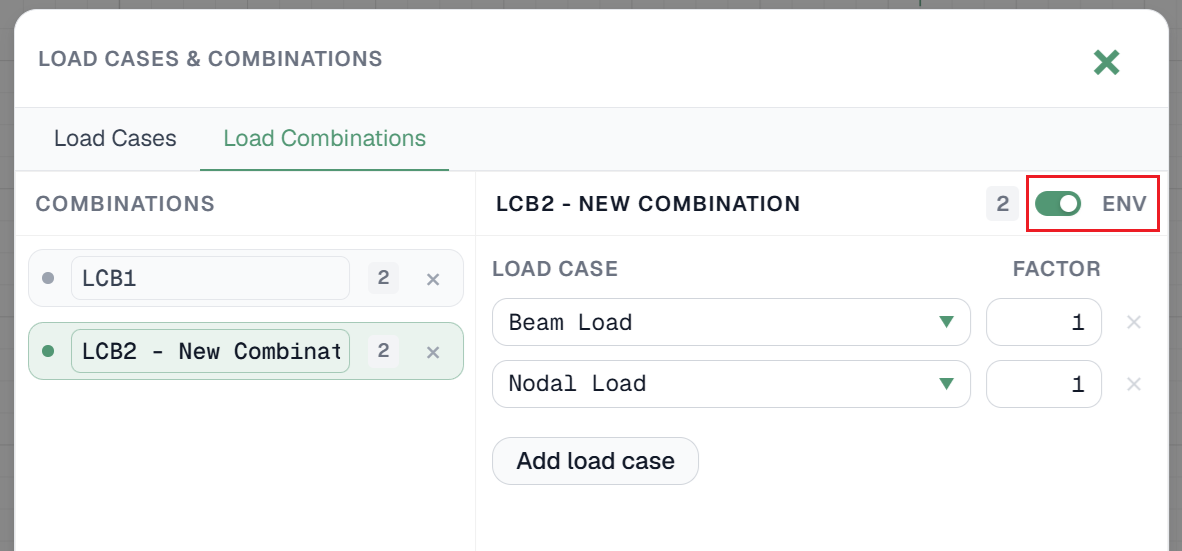
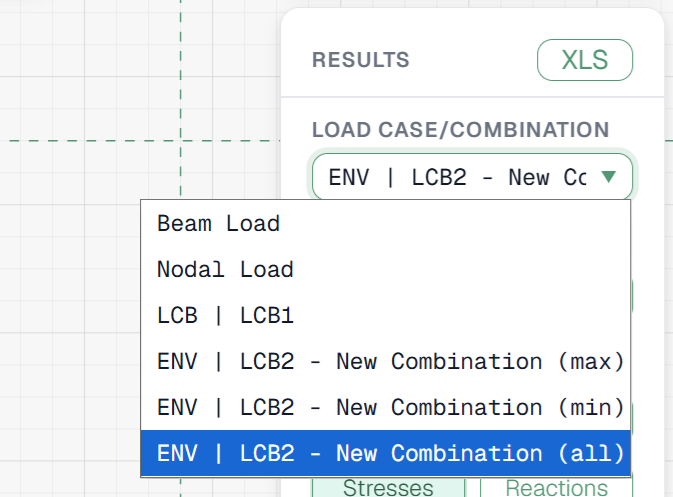
Results can now be viewed as envelopes across forces and stresses. In the Load Case window, under the Combinations tab, enable the ENV toggle on a combination to turn it into an envelope.
news
24.07.2026
Password reset for email accounts
Users registered by email can now reset a forgotten password. Previously there was no page for generating a new password.
news
18.07.2026
RodX development is back
Thank you to everyone who stayed with the project through this time — ahead is a redesigned interface and new functionality. This notice shows only the most important changes; for the full list of recent changes, see the /updates page.
improvement
18.07.2026
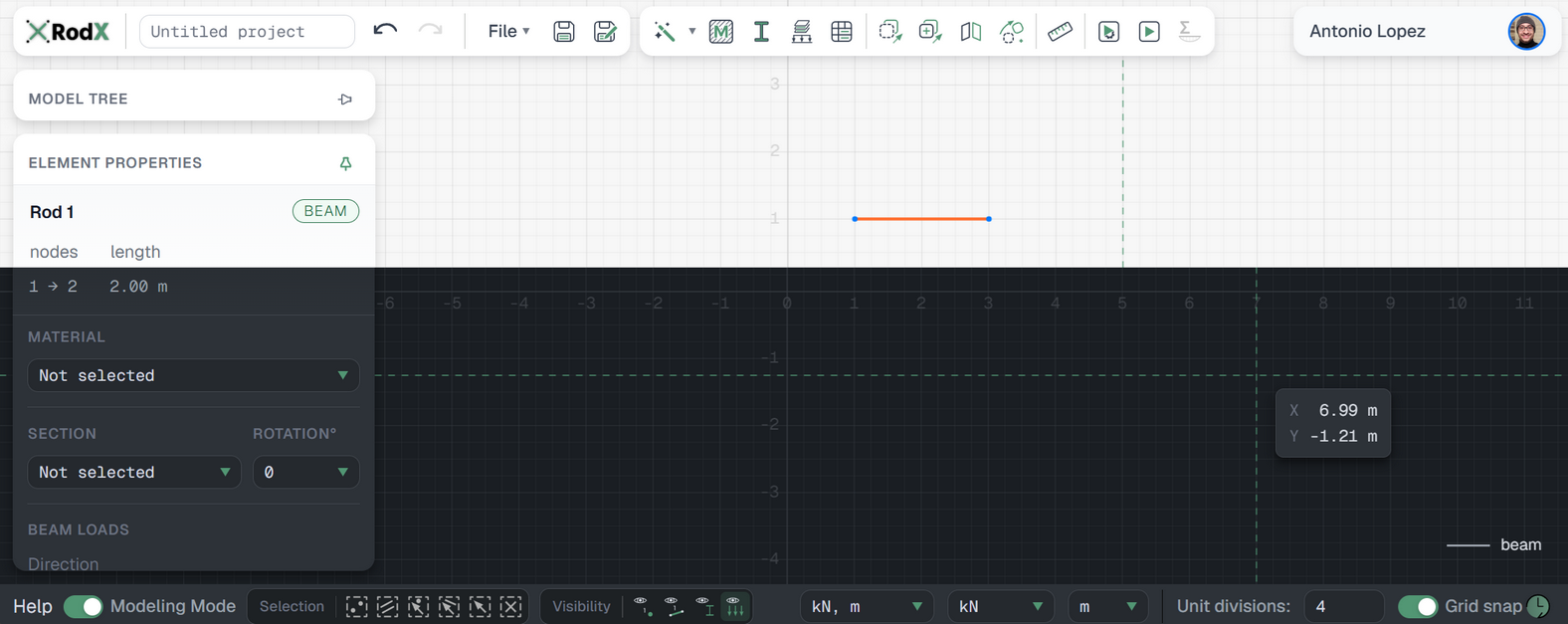
New interface, part 1/3
The entire interface now follows a unified design system. Controls, forms, fonts, and colors follow consistent standards, improving readability and overall clarity throughout the app.
improvement
18.07.2026
New interface, part 2/3
Most text buttons have been replaced with icon buttons. Some controls have been moved to a bottom toolbar.

improvement
18.07.2026
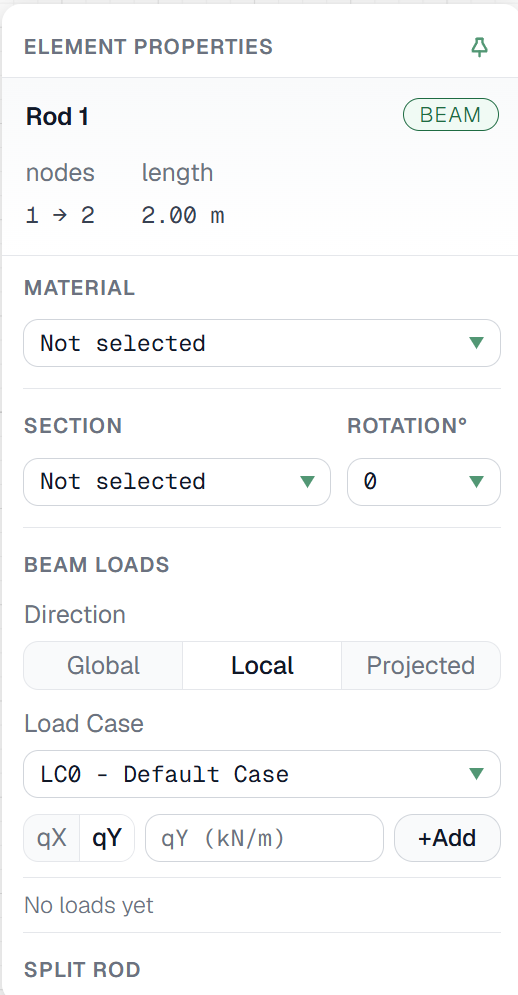
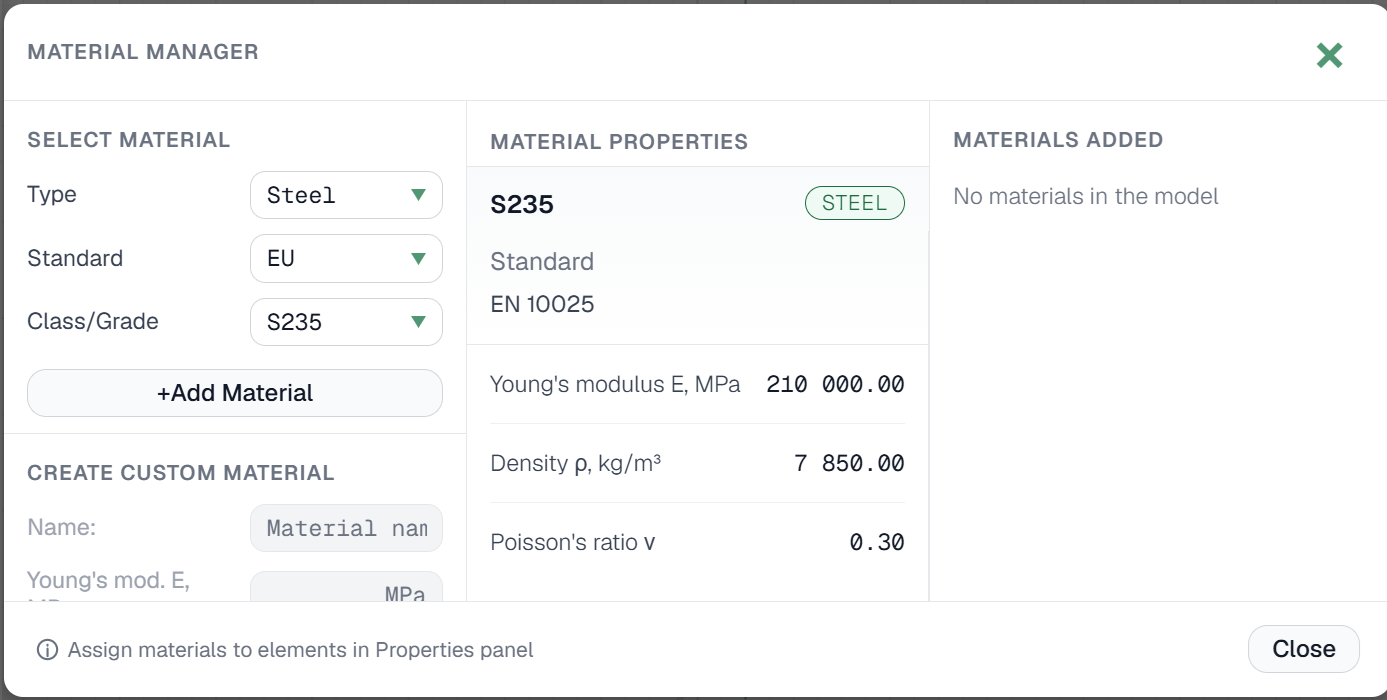
New interface, part 3/3
Node, member, material, section, and load case property panels have been redesigned. Redundant and duplicate buttons were removed, and several controls replaced with more convenient ones. In many fields, input can now be confirmed with Enter, in addition to the Add/Apply buttons.
feature
18.07.2026
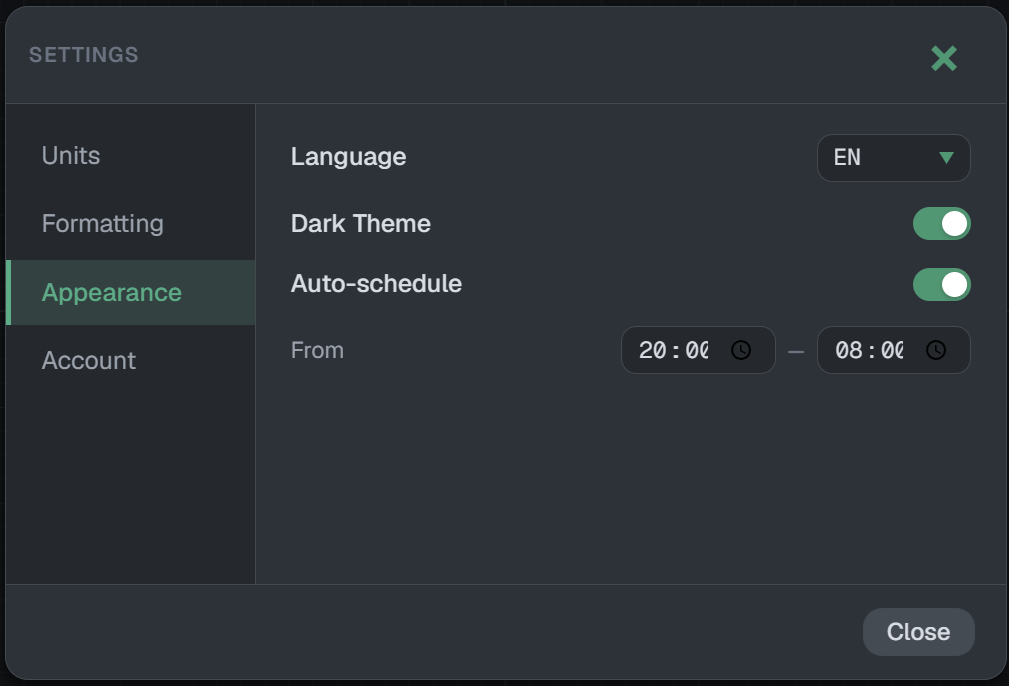
Dark theme
Dark theme can now be enabled in Settings, with an option to switch automatically based on time of day.
feature
18.07.2026
New languages added
Italian and Chinese are now available. If you'd like to see your language supported, email us — we prioritize based on demand.
fix
18.07.2026
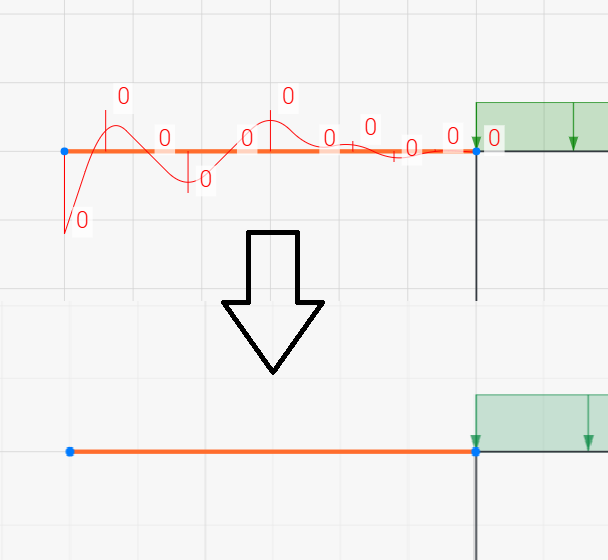
Fixed floating-point noise in force diagrams
Force diagrams (N, Q, M) could show small non-physical jitter near zero, caused by floating-point rounding rather than any error in the analysis — most visible on unloaded cantilevers and other cases with abrupt value transitions. A relative-tolerance snap-to-zero normalization has been added to postprocessing to remove this noise.
breaking
18.07.2026
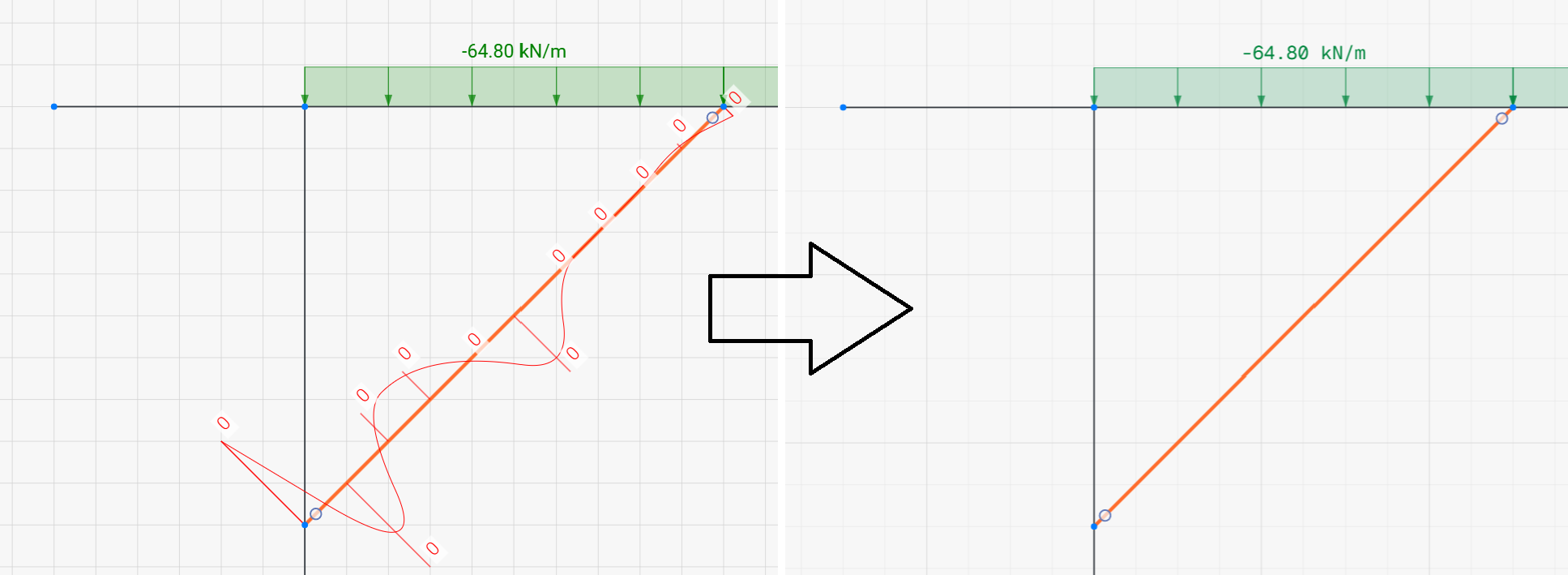
Configurable stiffness for "absolute" hinges
Members with a hinge at zero rotational stiffness ("absolute" hinge) can now have that stiffness defined in Analysis Preferences as either a fixed value or a value relative to the member's bending stiffness (EI/L). This can affect computed internal forces near the hinge — please review load cases that use absolute hinges after updating.
feature
18.07.2026
New geometry tools and a measurement tool
Added tools for working with primitives — rotate, mirror, move. A measurement tool has also been added for measuring distances between nodes.

improvement
29.03.2026
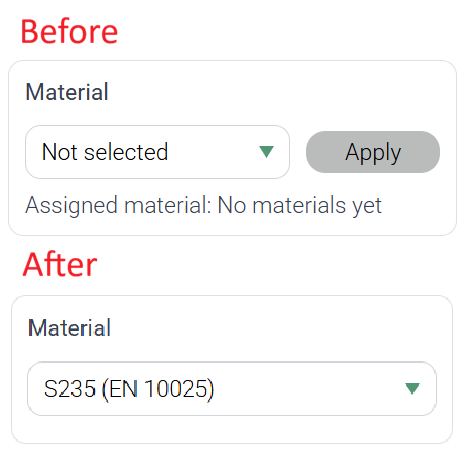
Dropdown selections are now applied instantly without the need for an Apply button
Previously, selections made in dropdown menus required an additional click on an Apply button to take effect, adding unnecessary steps to the workflow. This behavior has been improved — selections are now applied instantly upon choosing an option from the list. This update applies to Material selection, Section selection, Section rotation angle, Load Case, and Member Type.
feature
29.03.2026
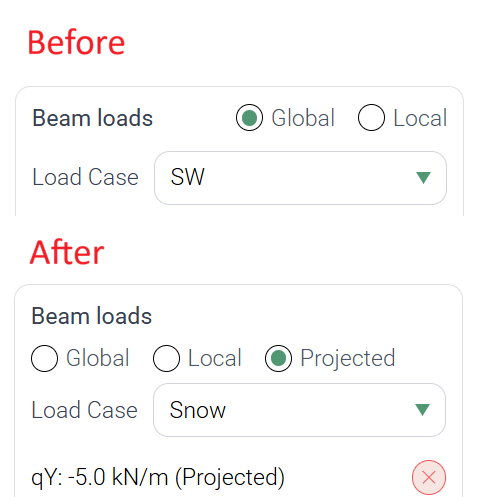
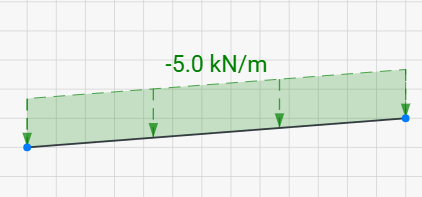
Added support for projected loads for more accurate modeling of snow and wind on inclined elements
Support for projected loads has been added. This allows loads to be defined based on their projection, which is particularly useful for modeling effects such as snow and wind loads acting on inclined surfaces.
breaking
29.03.2026
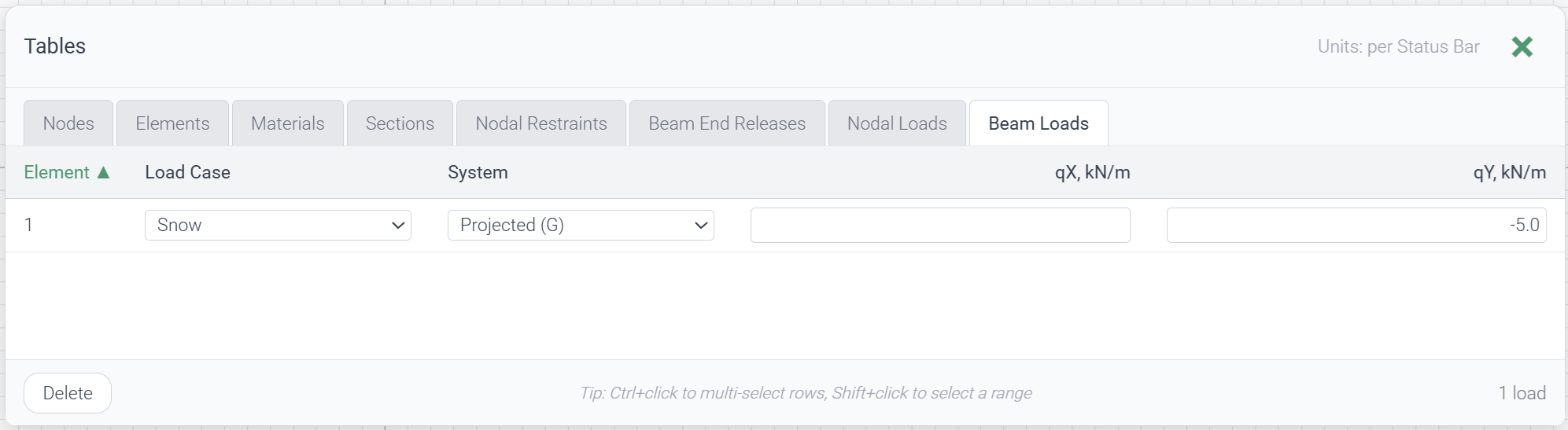
Added a Tables view (Alt+T) for model data, available on desktop for registered users
A new tabular view of the model data has been introduced. It can be opened from the top panel via the Tables button or using the Alt+T shortcut. This feature is currently available for registered users on desktop browsers only (not supported on mobile devices). The Tables window includes structured views for Nodes, Elements, Materials, Sections, Nodal Restraints, Beam End Releases, Nodal Loads, and Beam Loads.
breaking
29.03.2026
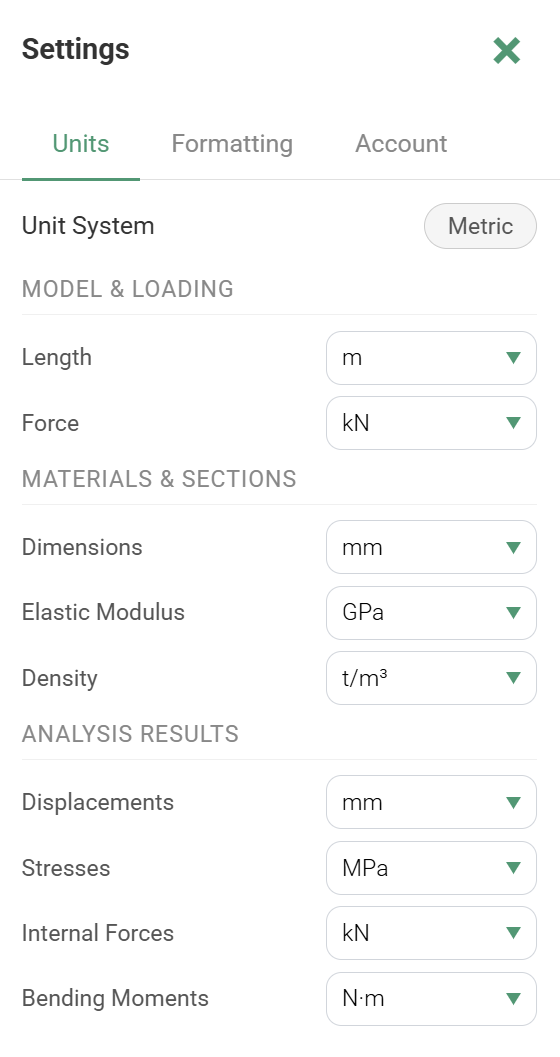
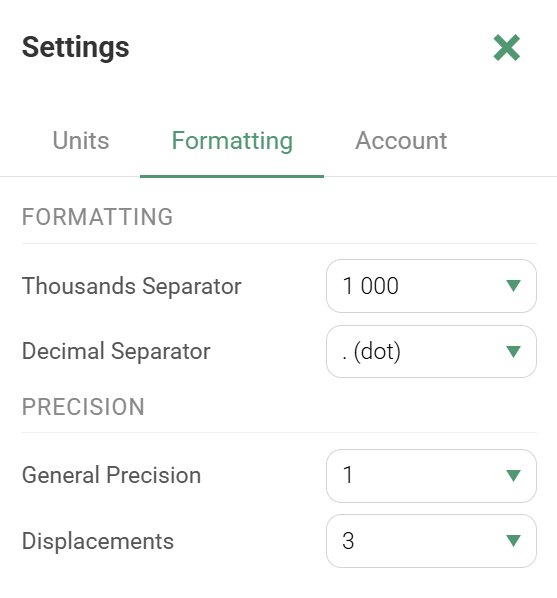
Added Units and Formatting tabs in Settings with category-based units and precision, saved per user account
The Settings window has been expanded with two new tabs: Units and Formatting. The Units tab allows configuring units by category: Model & Loading, Materials & Sections, and Analysis Results. The Formatting tab includes sections for Formatting and Precision, where precision can be set separately for General values and Displacements. All unit and formatting preferences are saved to the user account and persist even after logging out.
breaking
09.02.2026
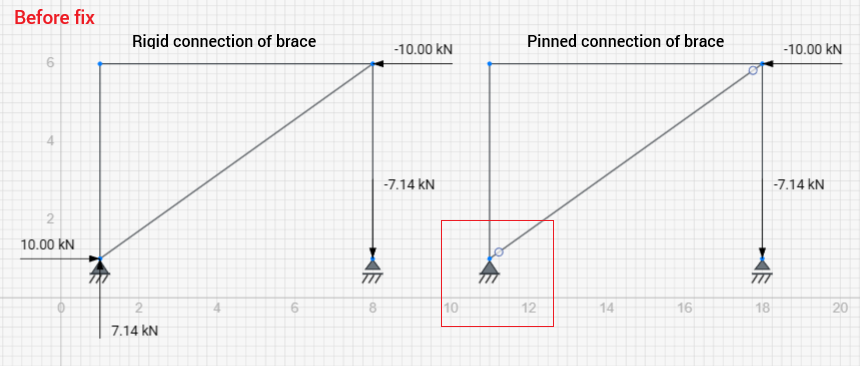
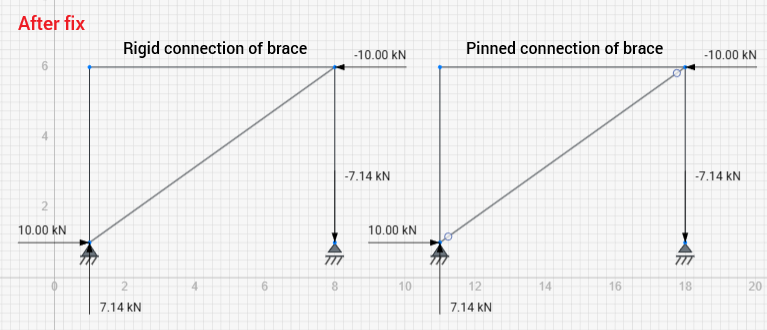
Fixed an issue where support reactions were not shown when a rod hinge was used at a support node. Support nodes now work correctly with both hinges and elastic supports
Previously, when a hinge was inserted into a rod connected to a support node, support reactions were not displayed in the results view. Displacements and internal forces were calculated correctly, but reactions at that support node were missing whenever a support and a rod hinge were used simultaneously. This issue has been fixed. Support reactions are now displayed correctly in all such cases. Moreover, support nodes can now be combined not only with rod hinges but also with elastic (spring) supports, providing greater modeling flexibility.
improvement
29.01.2026
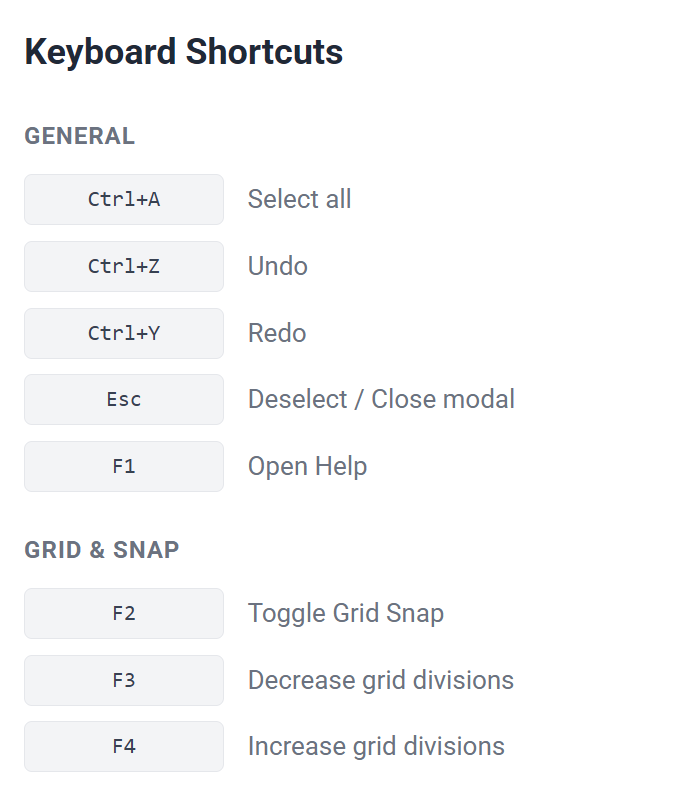
Added keyboard shortcuts for faster workflow
New hotkeys: Ctrl+A (select all), F1 (help), F2 (grid snap toggle), F3/F4 (unit divisions). Breaking changes notification now appears for returning users.
breaking
29.01.2026
Analysis results are now permanently saved and preserved across all future updates, ensuring consistent results for stored projects
Previously, all models were stored in the database and could be reopened at any time, but the analysis results were not preserved whenever updates were made to the software. While recalculation in 2D is typically fast, this behavior created the impression that results were inconsistent or temporary. We have now revised this approach — analysis results are fully preserved across all future program updates and website deployments, ensuring stability and consistency for all saved projects.
feature
27.01.2026
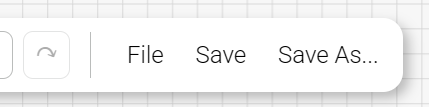
Added a Save As option to create a copy of the current project for continued editing
Previously, there was no way to “Save As” and create a copy of the current project. This made it inconvenient to branch off from an existing model, as users had to reload the page and start a new project manually. A Save As feature has now been added, allowing you to create a duplicate of the current project and continue working in the copied version.
feature
27.01.2026
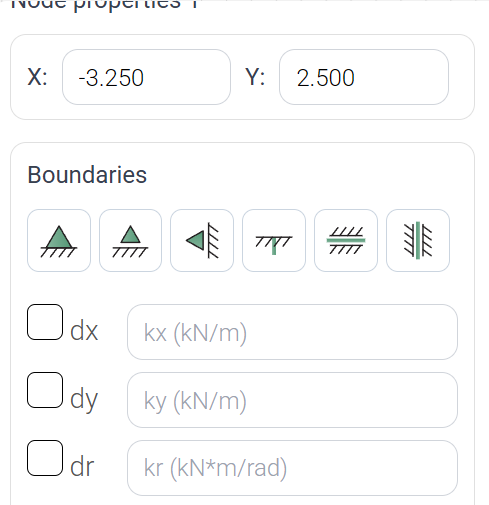
Enhanced the Element Properties panel with updated buttons and boundary icons
The visual design of the Element Properties panel has been improved, including updated buttons and refreshed boundary-condition icons for a clearer and more consistent interface.
feature
20.01.2026
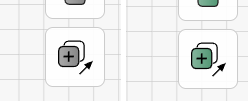
Added a dedicated Copy button to the mobile interface, replacing the unintuitive long-press action
In the mobile version, copying elements previously required a long-press to open the context menu, which was not intuitive for many users. A dedicated Copy button has now been added to the right-hand panel, making the action clear, accessible, and consistent with the rest of the interface.
fix
20.01.2026
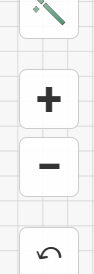
Fixed unintended canvas interactions when tapping between mobile zoom buttons, preventing accidental node creation
In the mobile interface, the zoom controls (“+” and “–”) are placed vertically on the right panel with small gaps between them. Previously, users could accidentally tap these gaps while trying to zoom, and since a double-tap on the canvas creates a node, this often led to unintended node creation and disrupted the workflow. This issue has now been fixed - tapping the space between the zoom buttons no longer triggers any canvas interaction.
fix
18.01.2026
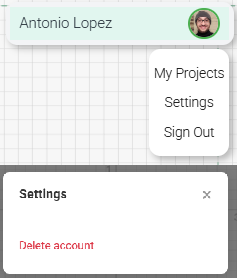
Added a Settings section with the option to delete your account
Previously, the personal account menu did not include an option to delete a user account, which limited users’ control over their data. A new Settings section has now been added to the account menu, where users can easily delete their account if they choose to do so.
improvement
18.01.2026
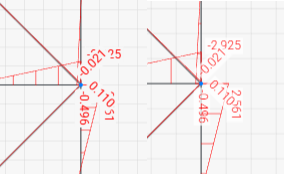
Improved diagram label readability with semi-transparent backgrounds and lighter text
To improve readability, the background of diagram labels has been made semi-transparent and the font weight has been reduced. Previously, the opaque label background could obscure parts of the diagram and hide other annotations.
feature
18.01.2026
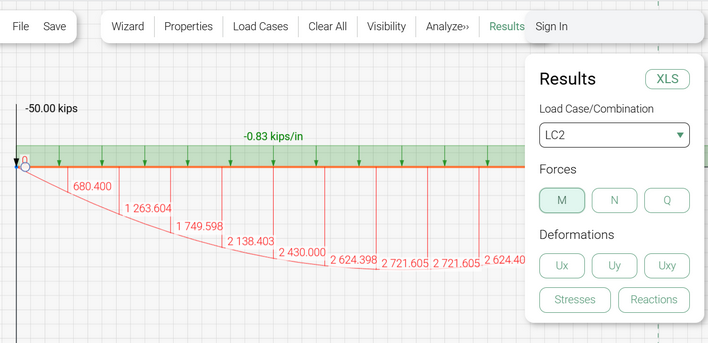
Added detailed per-element diagrams (values at 10 points) and the ability to show diagrams only for selected elements for improved clarity
A new feature has been added that allows viewing detailed results for an individual element. You can now inspect displacements, internal forces, and stresses at 10 points along a selected rod. To use this feature, switch to the Results mode and select a single element to display its detailed diagram. You can also switch between elements while staying in this mode. Additionally, it is now possible to display diagrams only for the selected elements, preventing label overlap and significantly improving readability.
breaking
18.01.2026
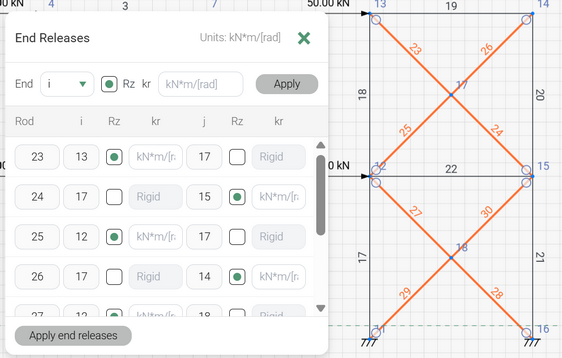
End releases are now element-based rather than node-based, allowing multiple releases at the same node. A redesigned End Releases window offers flexible assignment options and supports mobile devices
The logic for assigning hinges and semi-rigid end releases has been completely reworked. End releases are now properties of elements, not nodes. The End Releases dialog is accessed through the Element Properties panel when rods are selected on the canvas. This update removes the previous limitation of having only one release per node, enabling multiple elements connected to the same node to have their own individual hinges or semi-rigid releases. The new End Releases window provides a clear, flexible interface for assigning Rz and rotational stiffness values and displays only the currently selected elements. The interface is also fully adapted for mobile devices.
fix
14.01.2026
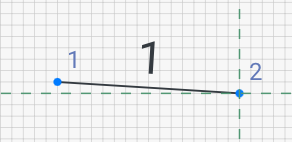
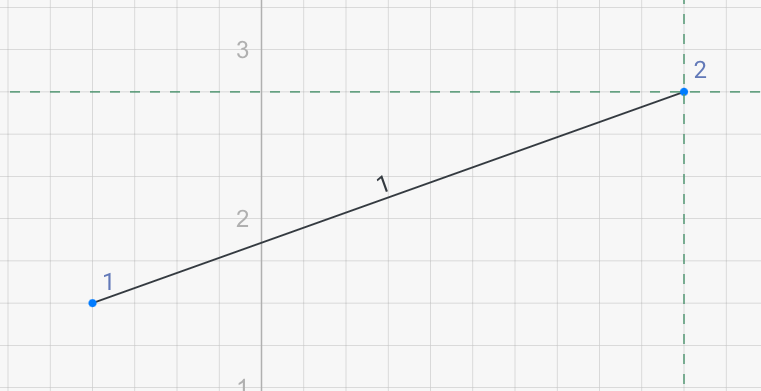
Fixed incorrect rod number scaling on mobile devices; labels now display properly at all zoom levels
Number labels were previously displayed incorrectly on mobile devices — in some cases they would disappear at high zoom levels or appear excessively large at low zoom levels. This issue has now been fully resolved, and all labels render correctly on Apple devices.
fix
08.01.2026
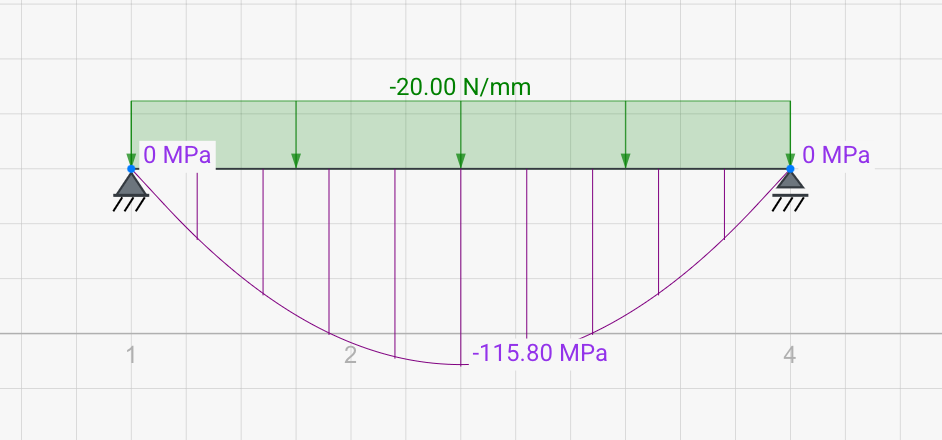
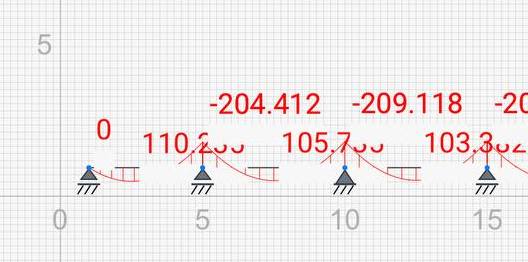
Fixed incorrect text and number scaling on iOS and macOS; labels now display properly at all zoom levels
Text and numeric labels were previously displayed incorrectly on iOS and macOS devices — in some cases they would disappear at high zoom levels or appear excessively large at low zoom levels. This issue has now been fully resolved, and all labels render correctly on Apple devices.
fix
08.01.2026
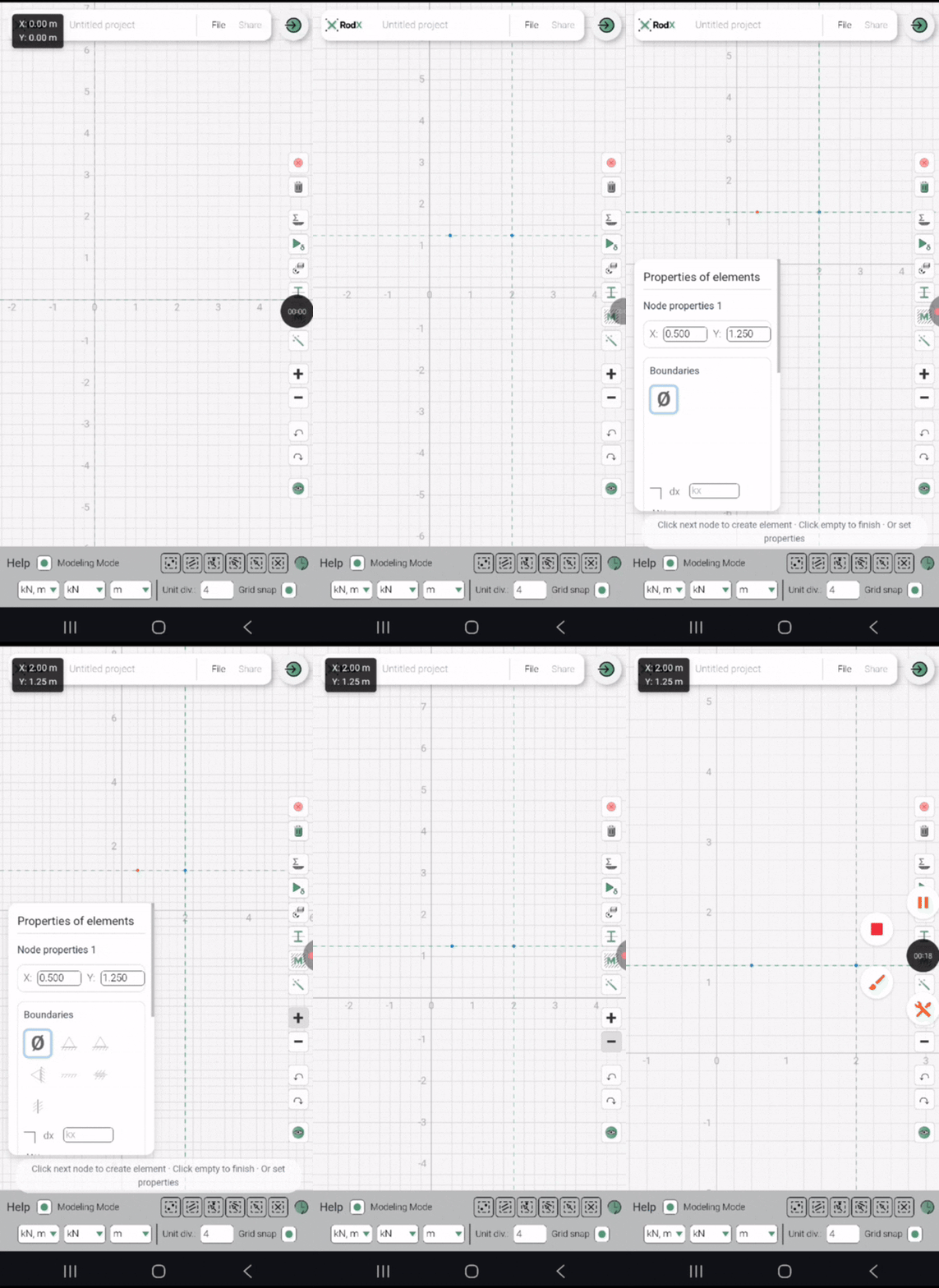
Improved mobile zoom behavior — the view no longer shifts diagonally, and the center stays fixed during zooming
On mobile devices, zooming is performed using the + and – buttons. Previously, the viewport would shift diagonally when zooming, causing the screen to “jump” and making navigation uncomfortable. This behavior has been fixed — the current center now remains stable during zoom, providing a much smoother and more intuitive experience.
fix
07.01.2026
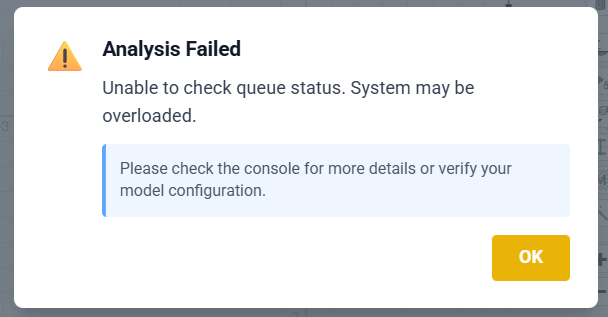
A hosting-related issue briefly affected analysis requests, causing error messages has been fully resolved
We experienced a temporary issue caused by changes on our hosting platform, which disrupted how the server processed analysis requests. As a result, you may have seen error messages in the last 24 hours like the one shown when attempting to run a calculation. The entire processing chain has now been fully restored, and the service is operating normally. We apologize for the inconvenience and appreciate your patience.
feature
07.01.2026
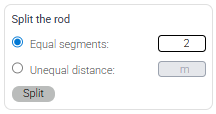
Added support for splitting rods into unequal segments and enabled splitting for multiple selected elements
Previously, rods could only be split into a specified number of equal segments. A new option has been added that allows splitting a rod into two unequal parts by defining the distance from the rod’s starting node. In addition, rod splitting now works when multiple elements are selected.
breaking
05.01.2026
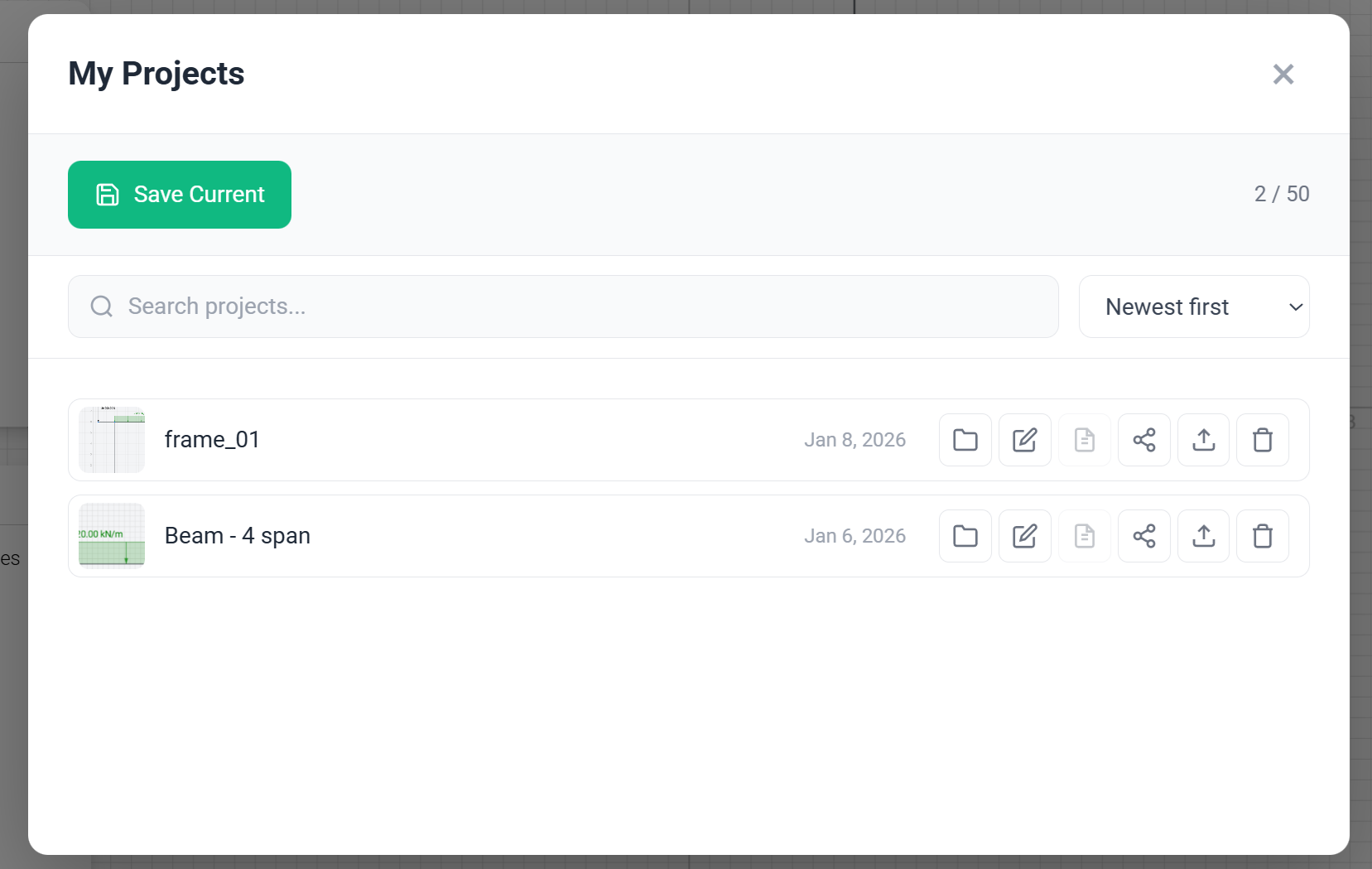
Added user accounts with project saving (up to 50) and shareable editable model links, accessible even without registration
A major new feature has been added — the user account system. It allows you to save your projects (currently up to 50 per user) and share an editable model via a link. The recipient can open and edit the shared project even without registering an account.
fix
30.12.2025
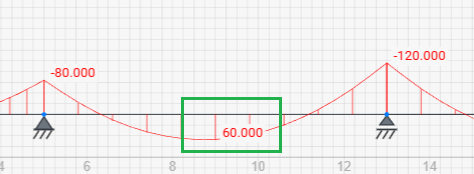
Mid-span force and stress values are now displayed for clearer diagrams
Improved force and stress diagram labels: values are now also displayed at the mid-span of each element. Previously, when the maximum value coincided with an end value, no label appeared in the middle, resulting in unclear visualization
feature
29.12.2025
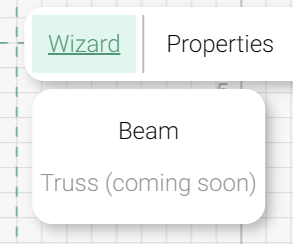
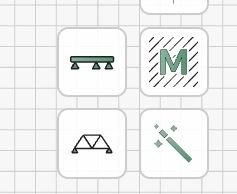
Added Beam Wizard
A beam creation wizard has been added, including full support for the mobile version. It now allows you to generate multi-span beams with predefined materials and sections in just a few clicks
feature
27.12.2025
Added Updates button
An “Updates” button has been added to the bottom panel, opening a window with all recent changes, categorized and timestamped
feature
27.12.2025
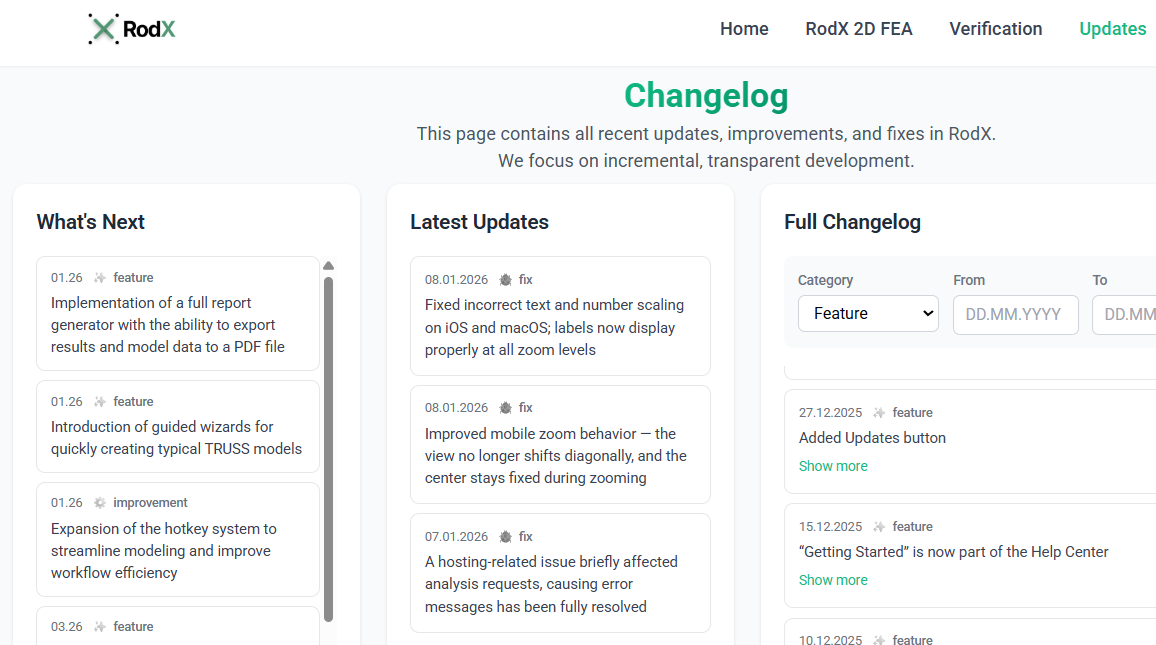
Added a comprehensive Changelog page with full update history and a section for upcoming features
A dedicated Changelog page has been added to the main website. It provides a detailed history of all updates, improvements, and new features introduced to RodX. The page also includes a “What’s Next” section outlining upcoming enhancements currently in development.
improvement
22.12.2025
Delete button added to mobile UI
A delete button has been added to the mobile interface for removing selected nodes and/or elements. Previously, deletion was only possible through a long-press context menu
fix
19.12.2025
Results buttons now highlight when active
In the Results window, force buttons now visually indicate their active state with a green highlight
fix
19.12.2025
Stress diagrams can now be toggled off
Stress diagrams can now be hidden by pressing the “Stresses” button again. Previously, they could only be hidden by switching to forces or deformation modes
fix
17.12.2025
Deformations Ux, Uy, Uxy now shown separately
The deformation display has been revised. Previously, Ux, Uy, and Uxy could be shown simultaneously, which was confusing. These modes are now separated and can be viewed one at a time
fix
16.12.2025
Fixed load input on mobile (minus sign issue)
The load input form in the mobile interface has been improved. Previously, entering negative values using the mobile keyboard was impossible — the issue is now resolved
feature
15.12.2025
“Getting Started” is now part of the Help Center
The “Getting Started” guide has been integrated into the Help Center. You can now open it directly from the Help Center at any time
breaking
14.12.2025
RodX now works in mobile browsers
The RodX calculation interface has been adapted for use directly from mobile web browsers
fix
12.12.2025
Fixed XLS export for stress units
The XLS export now correctly includes units for stresses. Previously, unit conversion for stress results was missing — this has been fixed
fix
11.12.2025
Modeling mode resets selection buttons
The “Modeling mode” checkbox now resets all Select buttons to their default state
feature
10.12.2025
Demo model available in Help Center
A demo model can now be loaded directly from the Help Center to help new users explore the program’s capabilities
feature
08.12.2025
Interactive onboarding assistant added
An interactive step-by-step assistant for building a simple model has been added. It can be launched from the welcome screen on the first visit or anytime via the Help Center
feature
06.12.2025
New Verification page with instant model loading
A new “Verification” page has been added, listing all RodX validation cases against analytical solutions and industry-standard software. Verification models can now be opened instantly for inspection
fix
05.12.2025
Custom material units are now preserved
When creating a custom material, the selected units are now correctly saved and stored in the model
improvement
04.12.2025
Section and material properties now displayed as tables
Material and section properties in Section Manager and Material Manager are now presented in a clean, structured table format
fix
03.12.2025
Materials, Sections, and Load Case lists now update instantly
Dropdown lists for Materials, Sections, and Load Cases in the Properties panel now refresh instantly after making changes in their respective managers. Previously, the canvas had to be nudged to trigger an update
feature
02.12.2025
Added hotkey Delete
Added support for deleting selected objects using the Del key (on Mac — Backspace)
feature
02.12.2025
Added the ability to copy rods
Added the ability to copy rods
feature
02.12.2025
Multiple selection with CTRL
Added the ability to select multiple nodes with CTRL button
feature
02.12.2025
Copy nodes with unequal distance
Added the ability to copy nodes with an unequal spacing
feature
02.12.2025
Added catalogues of 5 regions
Added section profile catalogs for the following regions: European Union, USA, Vietnam, India, and Australia
feature
02.12.2025
Selection feature of nodes and rods
Selection icons have been added to the bottom panel: box-select nodes, box-select rods, select all nodes, select all rods, and select all nodes and rods
improvement
02.12.2025
Context menu opens by right-clicking anywhere after selecting objects
The context menu for nodes and elements can now be opened by selecting objects and right-clicking anywhere on the canvas. Previously, it required right-clicking directly on the node or element
improvement
02.12.2025
Tabular properties and metric/imperial conversion in materials and sections
Improved the Section and Materials windows interface: material and section properties are now displayed in a convenient tabular format, with added conversion between metric and imperial units
improvement
02.12.2025
Node and element numbers are now hidden by default
Node and element numbers are now hidden by default, but can be enabled via the Visibility menu
improvement
02.12.2025
Diagram labels aligned with elements for easier reading.
Diagram value labels are now aligned along the elements, making them easier to read
fix
02.12.2025
Fixed diagrams for self-weight loads
The rendering of force and stress diagrams caused by self-weight has been corrected
improvement
25.11.2025
Added progress window for long-running analyses
A progress modal window has been added for situations where the analysis takes longer than expected, ensuring the user can see that the process is still running.
improvement
24.11.2025
Applied decimal format to forces, stresses, and reactions
The format with decimal separators has been applied to forces, results of internal efforts, stresses and reactions
fix
24.11.2025
Calculated combined stress values and diagram orientation
Calculation of combined stress values and orientation of stress diagrams
feature
24.11.2025
Enabled export of calculation results to Excel
Added the ability to export calculation results to Excel
improvement
24.11.2025
Some improvements to the interface buttons
Some improvements to the interface buttons
What's Next
Latest Updates
18.08.2026
PDF report generation
11.08.2026
P-Delta analysis added
11.08.2026
Tension-only element added
breaking
18.08.2026
PDF report generation
RodX now supports generating a fully customizable PDF report. The report is saved to the project and downloaded automatically right after generation. Along with tabular data, the report automatically includes the relevant images. One thing to note: before generating the report, set the structure's view/zoom in the workspace the way you want it to appear in the screenshots — the generator will then include the corresponding diagrams, displacements, and other results in the report using that view.
breaking
11.08.2026
P-Delta analysis added
Structures subject to second-order moments can now be analyzed in P-Delta mode. To use this mode, enable it in Analysis Preferences / Analysis Options, under Second-order effects. A validation case for this has been added to the verification page, where you can open it and try it yourself.
breaking
11.08.2026
Tension-only element added
RodX now supports elements that resist only tension, letting you model members that go slack — and are removed from the active structure — when subjected to compression. A validation case for this has been added to the verification page, where you can open it and try it yourself.
feature
05.08.2026
Truss generator wizard
The truss generator wizard is now complete. We've included the truss types most commonly used across different areas of construction. The wizard features a live preview so you can review the structure before generating it, and elements are automatically organized into groups — top chord, bottom chord, diagonals, and verticals — each of which can be assigned its own cross-section.
improvement
26.07.2026
Improved display of force, stress, and deflection diagrams
The display of force diagrams, stress diagrams, and the deflected shape has been improved, making results significantly easier to analyze.
feature
26.07.2026
Value display options and scale slider for diagrams
For force diagrams, stress diagrams, and the deflected shape, you can now choose to show all values or only max|v|. Value labels can be turned off entirely, and a new slider allows adjusting the display scale.
breaking
26.07.2026
Envelope diagrams for forces and stresses
Results can now be viewed as envelopes across forces and stresses. In the Load Case window, under the Combinations tab, enable the ENV toggle on a combination to turn it into an envelope.
news
24.07.2026
Password reset for email accounts
Users registered by email can now reset a forgotten password. Previously there was no page for generating a new password.
news
18.07.2026
RodX development is back
Thank you to everyone who stayed with the project through this time — ahead is a redesigned interface and new functionality. This notice shows only the most important changes; for the full list of recent changes, see the /updates page.
improvement
18.07.2026
New interface, part 1/3
The entire interface now follows a unified design system. Controls, forms, fonts, and colors follow consistent standards, improving readability and overall clarity throughout the app.
improvement
18.07.2026
New interface, part 2/3
Most text buttons have been replaced with icon buttons. Some controls have been moved to a bottom toolbar.
improvement
18.07.2026
New interface, part 3/3
Node, member, material, section, and load case property panels have been redesigned. Redundant and duplicate buttons were removed, and several controls replaced with more convenient ones. In many fields, input can now be confirmed with Enter, in addition to the Add/Apply buttons.
feature
18.07.2026
Dark theme
Dark theme can now be enabled in Settings, with an option to switch automatically based on time of day.
feature
18.07.2026
New languages added
Italian and Chinese are now available. If you'd like to see your language supported, email us — we prioritize based on demand.
fix
18.07.2026
Fixed floating-point noise in force diagrams
Force diagrams (N, Q, M) could show small non-physical jitter near zero, caused by floating-point rounding rather than any error in the analysis — most visible on unloaded cantilevers and other cases with abrupt value transitions. A relative-tolerance snap-to-zero normalization has been added to postprocessing to remove this noise.
breaking
18.07.2026
Configurable stiffness for "absolute" hinges
Members with a hinge at zero rotational stiffness ("absolute" hinge) can now have that stiffness defined in Analysis Preferences as either a fixed value or a value relative to the member's bending stiffness (EI/L). This can affect computed internal forces near the hinge — please review load cases that use absolute hinges after updating.
feature
18.07.2026
New geometry tools and a measurement tool
Added tools for working with primitives — rotate, mirror, move. A measurement tool has also been added for measuring distances between nodes.
improvement
29.03.2026
Dropdown selections are now applied instantly without the need for an Apply button
Previously, selections made in dropdown menus required an additional click on an Apply button to take effect, adding unnecessary steps to the workflow. This behavior has been improved — selections are now applied instantly upon choosing an option from the list. This update applies to Material selection, Section selection, Section rotation angle, Load Case, and Member Type.
feature
29.03.2026
Added support for projected loads for more accurate modeling of snow and wind on inclined elements
Support for projected loads has been added. This allows loads to be defined based on their projection, which is particularly useful for modeling effects such as snow and wind loads acting on inclined surfaces.
breaking
29.03.2026
Added a Tables view (Alt+T) for model data, available on desktop for registered users
A new tabular view of the model data has been introduced. It can be opened from the top panel via the Tables button or using the Alt+T shortcut. This feature is currently available for registered users on desktop browsers only (not supported on mobile devices). The Tables window includes structured views for Nodes, Elements, Materials, Sections, Nodal Restraints, Beam End Releases, Nodal Loads, and Beam Loads.
breaking
29.03.2026
Added Units and Formatting tabs in Settings with category-based units and precision, saved per user account
The Settings window has been expanded with two new tabs: Units and Formatting. The Units tab allows configuring units by category: Model & Loading, Materials & Sections, and Analysis Results. The Formatting tab includes sections for Formatting and Precision, where precision can be set separately for General values and Displacements. All unit and formatting preferences are saved to the user account and persist even after logging out.
breaking
09.02.2026
Fixed an issue where support reactions were not shown when a rod hinge was used at a support node. Support nodes now work correctly with both hinges and elastic supports
Previously, when a hinge was inserted into a rod connected to a support node, support reactions were not displayed in the results view. Displacements and internal forces were calculated correctly, but reactions at that support node were missing whenever a support and a rod hinge were used simultaneously. This issue has been fixed. Support reactions are now displayed correctly in all such cases. Moreover, support nodes can now be combined not only with rod hinges but also with elastic (spring) supports, providing greater modeling flexibility.
improvement
29.01.2026
Added keyboard shortcuts for faster workflow
New hotkeys: Ctrl+A (select all), F1 (help), F2 (grid snap toggle), F3/F4 (unit divisions). Breaking changes notification now appears for returning users.
breaking
29.01.2026
Analysis results are now permanently saved and preserved across all future updates, ensuring consistent results for stored projects
Previously, all models were stored in the database and could be reopened at any time, but the analysis results were not preserved whenever updates were made to the software. While recalculation in 2D is typically fast, this behavior created the impression that results were inconsistent or temporary. We have now revised this approach — analysis results are fully preserved across all future program updates and website deployments, ensuring stability and consistency for all saved projects.
feature
27.01.2026
Added a Save As option to create a copy of the current project for continued editing
Previously, there was no way to “Save As” and create a copy of the current project. This made it inconvenient to branch off from an existing model, as users had to reload the page and start a new project manually. A Save As feature has now been added, allowing you to create a duplicate of the current project and continue working in the copied version.
feature
27.01.2026
Enhanced the Element Properties panel with updated buttons and boundary icons
The visual design of the Element Properties panel has been improved, including updated buttons and refreshed boundary-condition icons for a clearer and more consistent interface.
feature
20.01.2026
Added a dedicated Copy button to the mobile interface, replacing the unintuitive long-press action
In the mobile version, copying elements previously required a long-press to open the context menu, which was not intuitive for many users. A dedicated Copy button has now been added to the right-hand panel, making the action clear, accessible, and consistent with the rest of the interface.
fix
20.01.2026
Fixed unintended canvas interactions when tapping between mobile zoom buttons, preventing accidental node creation
In the mobile interface, the zoom controls (“+” and “–”) are placed vertically on the right panel with small gaps between them. Previously, users could accidentally tap these gaps while trying to zoom, and since a double-tap on the canvas creates a node, this often led to unintended node creation and disrupted the workflow. This issue has now been fixed - tapping the space between the zoom buttons no longer triggers any canvas interaction.
fix
18.01.2026
Added a Settings section with the option to delete your account
Previously, the personal account menu did not include an option to delete a user account, which limited users’ control over their data. A new Settings section has now been added to the account menu, where users can easily delete their account if they choose to do so.
improvement
18.01.2026
Improved diagram label readability with semi-transparent backgrounds and lighter text
To improve readability, the background of diagram labels has been made semi-transparent and the font weight has been reduced. Previously, the opaque label background could obscure parts of the diagram and hide other annotations.
feature
18.01.2026
Added detailed per-element diagrams (values at 10 points) and the ability to show diagrams only for selected elements for improved clarity
A new feature has been added that allows viewing detailed results for an individual element. You can now inspect displacements, internal forces, and stresses at 10 points along a selected rod. To use this feature, switch to the Results mode and select a single element to display its detailed diagram. You can also switch between elements while staying in this mode. Additionally, it is now possible to display diagrams only for the selected elements, preventing label overlap and significantly improving readability.
breaking
18.01.2026
End releases are now element-based rather than node-based, allowing multiple releases at the same node. A redesigned End Releases window offers flexible assignment options and supports mobile devices
The logic for assigning hinges and semi-rigid end releases has been completely reworked. End releases are now properties of elements, not nodes. The End Releases dialog is accessed through the Element Properties panel when rods are selected on the canvas. This update removes the previous limitation of having only one release per node, enabling multiple elements connected to the same node to have their own individual hinges or semi-rigid releases. The new End Releases window provides a clear, flexible interface for assigning Rz and rotational stiffness values and displays only the currently selected elements. The interface is also fully adapted for mobile devices.
fix
14.01.2026
Fixed incorrect rod number scaling on mobile devices; labels now display properly at all zoom levels
Number labels were previously displayed incorrectly on mobile devices — in some cases they would disappear at high zoom levels or appear excessively large at low zoom levels. This issue has now been fully resolved, and all labels render correctly on Apple devices.
fix
08.01.2026
Fixed incorrect text and number scaling on iOS and macOS; labels now display properly at all zoom levels
Text and numeric labels were previously displayed incorrectly on iOS and macOS devices — in some cases they would disappear at high zoom levels or appear excessively large at low zoom levels. This issue has now been fully resolved, and all labels render correctly on Apple devices.
fix
08.01.2026
Improved mobile zoom behavior — the view no longer shifts diagonally, and the center stays fixed during zooming
On mobile devices, zooming is performed using the + and – buttons. Previously, the viewport would shift diagonally when zooming, causing the screen to “jump” and making navigation uncomfortable. This behavior has been fixed — the current center now remains stable during zoom, providing a much smoother and more intuitive experience.
fix
07.01.2026
A hosting-related issue briefly affected analysis requests, causing error messages has been fully resolved
We experienced a temporary issue caused by changes on our hosting platform, which disrupted how the server processed analysis requests. As a result, you may have seen error messages in the last 24 hours like the one shown when attempting to run a calculation. The entire processing chain has now been fully restored, and the service is operating normally. We apologize for the inconvenience and appreciate your patience.
feature
07.01.2026
Added support for splitting rods into unequal segments and enabled splitting for multiple selected elements
Previously, rods could only be split into a specified number of equal segments. A new option has been added that allows splitting a rod into two unequal parts by defining the distance from the rod’s starting node. In addition, rod splitting now works when multiple elements are selected.
breaking
05.01.2026
Added user accounts with project saving (up to 50) and shareable editable model links, accessible even without registration
A major new feature has been added — the user account system. It allows you to save your projects (currently up to 50 per user) and share an editable model via a link. The recipient can open and edit the shared project even without registering an account.
fix
30.12.2025
Mid-span force and stress values are now displayed for clearer diagrams
Improved force and stress diagram labels: values are now also displayed at the mid-span of each element. Previously, when the maximum value coincided with an end value, no label appeared in the middle, resulting in unclear visualization
feature
29.12.2025
Added Beam Wizard
A beam creation wizard has been added, including full support for the mobile version. It now allows you to generate multi-span beams with predefined materials and sections in just a few clicks
feature
27.12.2025
Added Updates button
An “Updates” button has been added to the bottom panel, opening a window with all recent changes, categorized and timestamped
feature
27.12.2025
Added a comprehensive Changelog page with full update history and a section for upcoming features
A dedicated Changelog page has been added to the main website. It provides a detailed history of all updates, improvements, and new features introduced to RodX. The page also includes a “What’s Next” section outlining upcoming enhancements currently in development.
improvement
22.12.2025
Delete button added to mobile UI
A delete button has been added to the mobile interface for removing selected nodes and/or elements. Previously, deletion was only possible through a long-press context menu
fix
19.12.2025
Results buttons now highlight when active
In the Results window, force buttons now visually indicate their active state with a green highlight
fix
19.12.2025
Stress diagrams can now be toggled off
Stress diagrams can now be hidden by pressing the “Stresses” button again. Previously, they could only be hidden by switching to forces or deformation modes
fix
17.12.2025
Deformations Ux, Uy, Uxy now shown separately
The deformation display has been revised. Previously, Ux, Uy, and Uxy could be shown simultaneously, which was confusing. These modes are now separated and can be viewed one at a time
fix
16.12.2025
Fixed load input on mobile (minus sign issue)
The load input form in the mobile interface has been improved. Previously, entering negative values using the mobile keyboard was impossible — the issue is now resolved
feature
15.12.2025
“Getting Started” is now part of the Help Center
The “Getting Started” guide has been integrated into the Help Center. You can now open it directly from the Help Center at any time
breaking
14.12.2025
RodX now works in mobile browsers
The RodX calculation interface has been adapted for use directly from mobile web browsers
fix
12.12.2025
Fixed XLS export for stress units
The XLS export now correctly includes units for stresses. Previously, unit conversion for stress results was missing — this has been fixed
fix
11.12.2025
Modeling mode resets selection buttons
The “Modeling mode” checkbox now resets all Select buttons to their default state
feature
10.12.2025
Demo model available in Help Center
A demo model can now be loaded directly from the Help Center to help new users explore the program’s capabilities
feature
08.12.2025
Interactive onboarding assistant added
An interactive step-by-step assistant for building a simple model has been added. It can be launched from the welcome screen on the first visit or anytime via the Help Center
feature
06.12.2025
New Verification page with instant model loading
A new “Verification” page has been added, listing all RodX validation cases against analytical solutions and industry-standard software. Verification models can now be opened instantly for inspection
fix
05.12.2025
Custom material units are now preserved
When creating a custom material, the selected units are now correctly saved and stored in the model
improvement
04.12.2025
Section and material properties now displayed as tables
Material and section properties in Section Manager and Material Manager are now presented in a clean, structured table format
fix
03.12.2025
Materials, Sections, and Load Case lists now update instantly
Dropdown lists for Materials, Sections, and Load Cases in the Properties panel now refresh instantly after making changes in their respective managers. Previously, the canvas had to be nudged to trigger an update
feature
02.12.2025
Added hotkey Delete
Added support for deleting selected objects using the Del key (on Mac — Backspace)
feature
02.12.2025
Added the ability to copy rods
Added the ability to copy rods
feature
02.12.2025
Multiple selection with CTRL
Added the ability to select multiple nodes with CTRL button
feature
02.12.2025
Copy nodes with unequal distance
Added the ability to copy nodes with an unequal spacing
feature
02.12.2025
Added catalogues of 5 regions
Added section profile catalogs for the following regions: European Union, USA, Vietnam, India, and Australia
feature
02.12.2025
Selection feature of nodes and rods
Selection icons have been added to the bottom panel: box-select nodes, box-select rods, select all nodes, select all rods, and select all nodes and rods
improvement
02.12.2025
Context menu opens by right-clicking anywhere after selecting objects
The context menu for nodes and elements can now be opened by selecting objects and right-clicking anywhere on the canvas. Previously, it required right-clicking directly on the node or element
improvement
02.12.2025
Tabular properties and metric/imperial conversion in materials and sections
Improved the Section and Materials windows interface: material and section properties are now displayed in a convenient tabular format, with added conversion between metric and imperial units
improvement
02.12.2025
Node and element numbers are now hidden by default
Node and element numbers are now hidden by default, but can be enabled via the Visibility menu
improvement
02.12.2025
Diagram labels aligned with elements for easier reading.
Diagram value labels are now aligned along the elements, making them easier to read
fix
02.12.2025
Fixed diagrams for self-weight loads
The rendering of force and stress diagrams caused by self-weight has been corrected
improvement
25.11.2025
Added progress window for long-running analyses
A progress modal window has been added for situations where the analysis takes longer than expected, ensuring the user can see that the process is still running.
improvement
24.11.2025
Applied decimal format to forces, stresses, and reactions
The format with decimal separators has been applied to forces, results of internal efforts, stresses and reactions
fix
24.11.2025
Calculated combined stress values and diagram orientation
Calculation of combined stress values and orientation of stress diagrams
feature
24.11.2025
Enabled export of calculation results to Excel
Added the ability to export calculation results to Excel
improvement
24.11.2025
Some improvements to the interface buttons
Some improvements to the interface buttons